Courses
Courses
Preview

This is your website preview.

Currently it only shows your basic business info. Start adding relevant business details such as description, images and products or services to gain your customers attention by using Boost 360 android app / iOS App / web portal.

917010516770
Page 8 / 11.56
product image
AutoCAD 2020

Course Name : AutoCAD 2020 Duration : 2 Months Eligibility : Diploma / BE/ ME (MECH) / ITI / +2 / Equivalent Syllabus: Introduction to Engineering Drawings Projections (First & Third angle) Views (Orthographic, Isometric & Perspective) Introduction to AutoCAD Co-ordinate systems Drawing settings – Units, Limits, UCSIcon Drawing simple sketches using Line, Circle, Arc, Ellipse, Polygon, Rectangle, Drafting Setting Editing commands – Erase, Undo, Redo, Move, Copy, Rotate, Array, Mirror File Management - New, Qnew, Open, Save, Save as, Close, Exit, Quit Mini Project 1 – Orthographic Views Editing commands – Fillet, Chamfer, Scale, Stretch, Offset, Break, Trim, Extend Hatches, Hatch Edit Object Selection Methods Select, Qselect Annotations - Text, Style, Ddedit, Mtext, Scaletext, Spell, Table, Tabledit Object Properties - Color, Linetype, Ltscale, Lineweight, Properties, Matchprop Dimension - Linear, Aligned, Radius, Diameter, Center Mark, Angle, Arc length, Continuous, Baseline, Dimension Space, Dimension Break, Jogged radius, Oblique, Align Text, Mleader, Qleader Isometric view,Iso plane Mini project 2 - Isometric views 3D Introduction Region, Explode, Extrude, Revolve, Union, Subtract, Slice, Thicken Modeling Tools : Solid Primitives Box, Wedge, Cylinder, Cone, Sphere, Torus, 3D move, 3D rotate, 3D Array, 3D Mirror, fillet Edge, Chamfer Edge Polysolid, Sweep, Helix, Loft, Print setup Layer Management Adding / Removing Layers Layer Status Speed test Subject of cad Mini Project 1 (2D) Mini Project 2 (Isometric) Mini Project 3 (3D) Final Project ...

0 INR View More

product image
CivilCAD

Duration: 2 Months Course Code: HCCC 17 2D ( CIVIL ) Introduction to CAD Industry Annotations & Dimensions Layers Drawing settings Orthographic Drawings Isometric Drawings Perspective Drawings Editing the Drawings Selection Methods Presenting the Project Working with a Team Layout Management Scale setting Plotting Import & Export 3D (CIVIL) 3D Modeling Concepts in Autocad 3D Co-ordinates Systems Viewpoint & UCS Wireframe Modeling & Editing Solid, Mesh, Surface ( Modeling & Editing ) Materials, Lights & Rendering Working with Images Import & Export ...

0 INR View More
product image
ArchiCAD

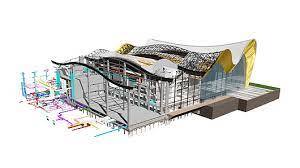
Duration:1 Month(2hrs/day) Course Code: HCCC 30 Introduction to BIM & Archicad Multi-story Settings Create a plan using Wall Element Placing building elements from library Arranging the elements by using modify tools Creating wall holes Creating new library elements Floor & Roof Designs Annotation & Dimensions Documentation & Scheduling Present the project with images & walkthroughs Construction simulation Layout setting & plotting ...

0 INR View More
product image
Revit Architecture

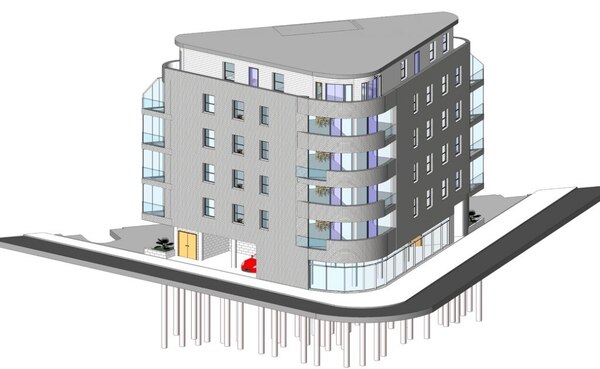
Duration: 1 Month (3Hrs/Day) Course Code: HCCC 18 Introduction of Civil Introduction of Revit Architecture, User Inter Face, About Projects & Families Starting a New Project, Type of Category, Level - (create level & modify levels) Projects units, Snaps Zoom Open, Save Elevation, Filter, Delete Element, Element Properties, Model Line , Trimmers, Split, copy, move, Offset Group, Array, Rotate, Mirror, Align Create Wall, Wall Properties, Type Properties, Dimensions ...

0 INR View More
product image
Staad Pro

Duration: 1 Month( 3 Hrs / day ) Course Code: HCCC 19 Introduction to Structural Engineering Introduction to STAAD Pro v8i Model generations Assigning Loads Automatic Load generations(Slab, Wind & Moving) Column & beam design RC Designer Seismic Analysis & Design Dynamic Analysis Introduction to FEM/FEA Water Tank Design Slab Design Staircase Design Shear wall Design Bridge Deck design using STAAD Beava Steel Design Transmission Line Tower Design Pushover Analysis Foundation Designs (Isolate Footing, Combined Footing, Mat Foundation, Pile Cap Design Report generation ...

0 INR View More
product image
3D Studio MAX

Duration:2 Months (2hrs/ day ) Course Code: HCCC 29 Introduction to 3dsMax Modeling using basic primitives Spline Modeling Transforming Objects Customizing Working units Arranging Objects using utility tools Modeling using parametric modifiers Editing Poly Models Landscaping & modeling using compound objects Cameras Lights Textures Particle systems Importing other formats Basics of Animation Walk through Advanced Rendering Projects ...

0 INR View More
product image
MS project

Course Name : MS Project Duration : 2 Months Eligibility : Diploma / BE / ME (CIVIL)/ Equivalent Syllabus: Histoy of Microsoft project, Microsoft project GUI Project Management: Introduction: A generic Visualization Of Project Management, Story of PMBOK, Common Sense Project Management Introduction: Introduction About MSP, Features Calendar: Introduction To Calendar, Calendar types, Define the Calendar, Assigning Calendar in Gantt Chart, Assigning Calendar To Project, Fiscal Year, Solved Problem Task And its Relationship: Task, Relationship, Entering Dependencies In Various Ways, Unlinking Tasks, Critical Path, Slack, Early Start And Early Finish Calculation, Views, Solved Problems ​​​​​​​ Work Breakdown Structures: About WBS, WBS Codes, Create WBS Code, Renumbering WBS Codes, WBS Outline Codes, Solved Problem ​​​​​​​ Constraints & Recurring Task: Constraints, Setting Constraint, Dead Line, Recurring Task, Solved Problem ​​​​​​​ Define And Assign Resources: Resources, Types of Resources, About Resource Sheet, Enter Resource Names In Resource Sheet, About Task Types, Task Types, Assigning Resources To Task, Calendars And Resources, Solved Problem ​​​​​​​ Resource Analysis & Leveling: Resource Analysis, Views, Resource Leveling, Solved Problem ​​​​​​​ Tracking; Tracking, Estimates Versus Actuals, Using Baseline, Updating Tasks With Actual Information, Set Status Date and Update Project, Different Types of Percent Complete, Tracking In Table, Solved Problems Earned Value Analysis: Earned Value, About Earned Value Tables, Calculate Earned Value Methods, Solved Problems Filters & Groups: Filter, Applying a Filter To a View, Creating Custom Filters, Groups, Applying Groups to the View, Sorting Tasks, Solved Problems ​​​​​​​ Multiple Projects: Multiple Projects, Viewing Multiple Projects, Resource Sharing, Compare Project, Organizer, Solved Problems ​​​​​​​ Customization & Formatting: Custom Field, Formatting ​​​​​​​ Reports: Reports, Creating Text Reports, Procedure Of Customize Report, Visual Reports, Solved Problems ...

0 INR View More
product image
PRIMAVERA

Course Name : PRIMAVERA Duration : 2 Months Eligibility : Diploma / BE / ME (CIVIL)/ Equivalent Syllabus: Introduction to Primavera, Features Data Structure Of PRIMAVERA(Data Organization Break Down Structures, Procedure To Create an OBS, Delete an OBS,Enterprise Project Structure, Delete an EPS,EPS Page PROJECT(Deleting Project Or EPS Element, Opening Projects or Templates in the EPS, Create a Project, Project in a Detail Window CALENDAR(Creating a Global Calendar, Procedure to Create a Calendar, Exception, Creating a Project Calendar, Changing project Calendar To a Global Calendar, Creating a Resource Calendar, Assign a Resource to a Resource Calendar, Conversions, Time Scale in a Gantt Chart) WORK BREAKDOWN STRUCTURES (WBS STRUCTURES, Create a WBS Structures, Working With WBS Elements, creating a WBS From a Template,Configuration General WBS Elements, Earned value) ACTIVITIES(Procedure, Creating Activities, Configuring General Tab,Adding Activities Using Activity Details) RELATIONSHIPS(Adding Relation Ships To the Activities,Adding Relation Ships using Mouce, Linking Activites in Series Predecessors And Successors From in Activity Detail WindowDissolve Activityapply Lead or Lag, Creating a RelationShips SCHEDULING(Procedure for Scheduling, Schedule Check CONSTRAINTS(Constraints Category, Project Code) CODES(View a Project Code,ActivityCode,Resource Code) ROLES(Creating Roles, Detail Window,Assigning a resources to a tool, Role Team,creating a Role Teams RESOURCES & ITS TEAM(Define Resources, Resource Team, Introduction About Resource Team, Drive Activity Dates, Methods ASSIGNING A RESOURCES(Multiple Activities,Assign Role To an Activity,Assign Resource to Role,Resource Curves) RESOURCE ANALYSIS(Team Usage,ResourceAnalysis,Role Usage, Resource Usage, Resource analysis,Resourceleveling, DurationType,Manual Methods ofResource leveling) BASELINE(Setting Base line, Assign Baseline,Display Baseline USER DEFINED FIELDS(Creating Activity UDF, WBS UDF,ExpenseUDF,User Defined Field,Global Change) PERCENTAGE(Percentage Update,Updating the process update,Units % Complete,Physical % Complete, Progress Spotlight) CHECK IN & CHECK OUT Tracking(Earned Value Analysis, Earned Value Fields) VIEWS REPORTS ...

0 INR View More
product image
SketchUp

Training Details Course Code : CIVIL HCCC08 Course Name : Google SketchUp Duration : 2 Months Eligibility : Diploma / BE /B.Arch/ ME (CIVIL)/ ITI / +2 / Equivalent Syllabus: INTRODUCTION Lesson 1 : Meeting Sketch Up Selections - Basic selections - Window selections - Modifier keys to add to and subtract from your selection - Tips for accurate and quick selection sets Components - Components vs. groups - Editing components - Component browser Paint Bucket - Applying colors and materials - Editing colors and materials - Materials browser Lesson 2 : Eraser - Erase single or multiple edges easily - How to soften or hide edges with the eraser Rectangle - Drawing rectangles on any surface - Draw a perfect square or golden rectangle - Being accurate Lines - Best practices for drawing lines/ edges - Drawing accurately - Dividing edges Circle/Polygon - Drawing a circle or polygon - Changing the number of sides of a circle or polygon - Viewing addition information through the entity info dialog box Arc - How to draw arcs - Drawing tangent arcs - Drawing continuous smooth arcs - Defining number of arc segments. Lesson 3: Freehand - Use freehand to draw free form edges Move - Move is an auto-selecting tool - Pre-select objects for more control - Moving objects with precision - Common problems - Select, Copy and Auto-fold videos will show more about the move tool -Push/Pull - Pull any flat shape into 3d - Tips for accuracy and efficiency - Cut away geometry - Inferring to other geometry Rotate - How rotate works - Examples of the rotate tool in action - Lock or define the orientation of the tool Lesson 4: Follow Me - Introduction to follow-me capabilities - Tips about how the shape and path work together - Speedy tips that create instant follow-me results - Creating lathed objects Scale - Scaling in 2d and 3d - Accuracy when scaling - Use modifier keys for more options - Be aware of axis when scaling Offset - Offsetting surfaces vs. edges - Inferring and speedy tips Tape Measure - Measure distances - Create construction guidelines - Scale groups or the whole model based on known measurements Lesson 5 : Dimensioning - Add dimensions directly to your model - Adjust dimension settings Protractor - Measure angles - Create construction guidelines - Control the tool orientation - Establishing roof slopes Text & 3D Text - Create on-screen text and annotations - Change text settings - Pixel vs. real world text size, Creating 3D text Axes - Re-orient the default red, green and blue axes - Tips for quick axes orientation Lesson 6 : Navigation - Use of the orbit, zoom and pan tools - Navigate using the scroll wheel on your mouse - Tips for zooming - Zoom previous, next and zoom extents Position Camera & Look Around - Look around is a stationary viewing tool - Position camera allows you to place your view - Position your view exactly - Changing your field of view Walk - Walking around your model - Collision detection - Modifier keys for more options Sections - Create cut-away views of your model in any direction - Context options for the section plane - Move and rotate the section plane ...

0 INR View More
Page 8 / 11.56

FILTER USING TAGS

courses

✖