Currently it only shows your basic business info. Start adding relevant business details such as description, images and products or services to gain your customers attention by using Boost 360 android app / iOS App / web portal.
SketchUp is a 3D modeling software used for creating and manipulating 3D models. It's known for its user-friendly interface, making it accessible for various applications like architecture, interior design, and product design. ...
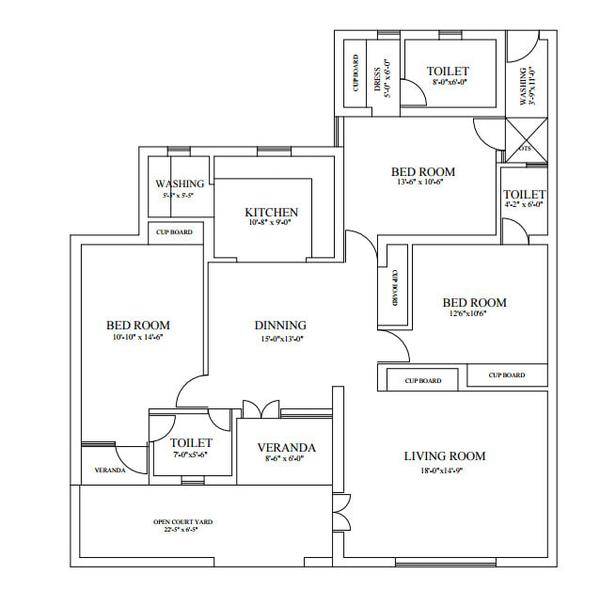
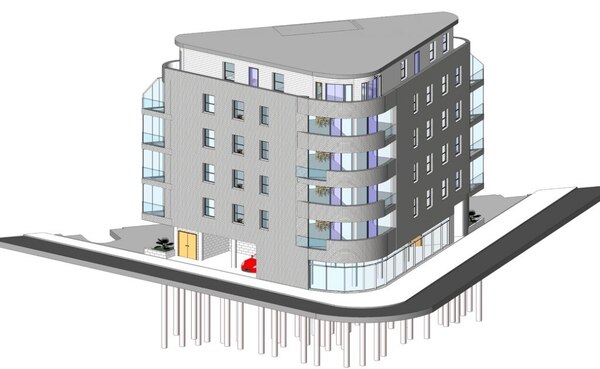
View MoreRevit Architecture is a powerful Building Information Modeling (BIM) software used by architects to design and document buildings. It allows for the creation of 3D models that can be used to generate 2D drawings and documentation, including floor plans, sections, and elevations. ...
View MoreDuration: 2 Months Course Code: HCCC 172D ( CIVIL )Introduction to CAD IndustryAnnotations & DimensionsLayersDrawing settingsOrthographic DrawingsIsometric DrawingsPerspective DrawingsEditing the DrawingsSelection MethodsPresenting the ProjectWorking with a TeamLayout ManagementScale settingPlottingImport & Export3D (CIVIL)3D Modeling Concepts in Autocad3D Co-ordinates SystemsViewpoint & UCSWireframe Modeling & EditingSolid, Mesh, Surface ( Modeling & Editing )Materials, Lights & RenderingWorking with ImagesImport & Export ...
View MoreDuration:1 Month(2hrs/day)Course Code: HCCC 30Introduction to BIM & ArchicadMulti-story SettingsCreate a plan using Wall ElementPlacing building elements from libraryArranging the elements by using modify toolsCreating wall holesCreating new library elementsFloor & Roof DesignsAnnotation & DimensionsDocumentation & SchedulingPresent the project with images & walkthroughsConstruction simulationLayout setting & plotting ...
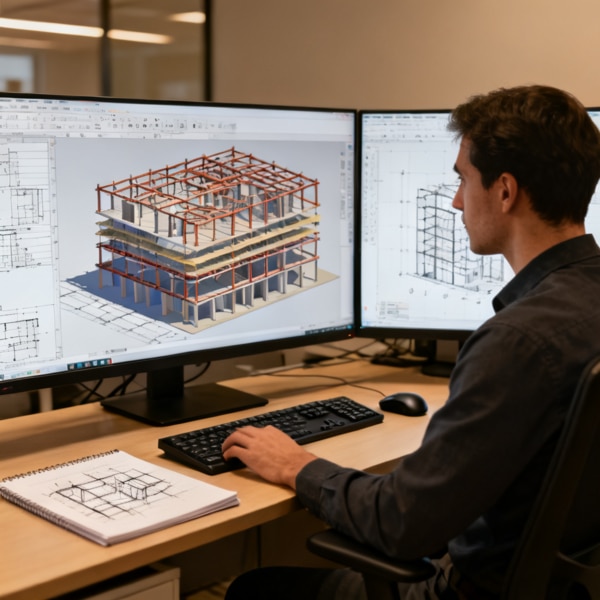
View MoreDuration: 1 Month (3Hrs/Day)Course Code: HCCC 18Introduction of CivilIntroduction of Revit Architecture,User Inter Face,About Projects & FamiliesStarting a New Project,Type of Category,Level - (create level & modify levels)Projects units,SnapsZoomOpen, SaveElevation, Filter, Delete Element,Element Properties,Model Line ,Trimmers, Split, copy, move, OffsetGroup, Array, Rotate, Mirror, AlignCreate Wall, Wall Properties,Type Properties, Dimensions ...
View MoreDuration: 1 Month( 3 Hrs / day )Course Code: HCCC 19Introduction to Structural EngineeringIntroduction to STAAD Pro v8iModel generationsAssigning LoadsAutomatic Load generations(Slab, Wind & Moving)Column & beam designRC DesignerSeismic Analysis & DesignDynamic AnalysisIntroduction to FEM/FEAWater Tank DesignSlab DesignStaircase DesignShear wall DesignBridge Deck design using STAAD BeavaSteel DesignTransmission Line Tower DesignPushover AnalysisFoundation Designs (Isolate Footing, Combined Footing, Mat Foundation, Pile Cap DesignReport generation ...
View MoreDuration:2 Months (2hrs/ day )Course Code: HCCC 29Introduction to 3dsMaxModeling using basic primitivesSpline ModelingTransforming ObjectsCustomizing Working unitsArranging Objects using utility toolsModeling using parametric modifiersEditing Poly ModelsLandscaping & modeling using compound objectsCamerasLightsTexturesParticle systemsImporting other formatsBasics of AnimationWalk throughAdvanced RenderingProjects ...
View MoreCourse Name : MS ProjectDuration : 2 MonthsEligibility : Diploma / BE / ME (CIVIL)/ Equivalent Syllabus:Histoy of Microsoft project, Microsoft project GUI Project Management:Introduction: A generic Visualization Of Project Management, Story of PMBOK, Common Sense Project Management Introduction:Introduction About MSP, Features Calendar:Introduction To Calendar, Calendar types, Define the Calendar, Assigning Calendar in Gantt Chart, Assigning Calendar To Project, Fiscal Year, Solved Problem Task And its Relationship:Task, Relationship, Entering Dependencies In Various Ways, Unlinking Tasks, Critical Path, Slack, Early Start And EarlyFinish Calculation, Views, Solved ProblemsWork Breakdown Structures:About WBS, WBS Codes, Create WBS Code, Renumbering WBS Codes, WBS Outline Codes, Solved ProblemConstraints & Recurring Task:Constraints, Setting Constraint, Dead Line, Recurring Task, Solved ProblemDefine And Assign Resources:Resources, Types of Resources, About Resource Sheet, Enter Resource Names In Resource Sheet, About Task Types,Task Types, Assigning Resources To Task, Calendars And Resources, Solved ProblemResource Analysis & Leveling:Resource Analysis, Views, Resource Leveling, Solved ProblemTracking;Tracking, Estimates Versus Actuals, Using Baseline, Updating Tasks With Actual Information, Set Status Date and Update Project, Different Types of Percent Complete, Tracking In Table, Solved Problems Earned Value Analysis:Earned Value, About Earned Value Tables, Calculate Earned Value Methods, Solved Problems Filters & Groups:Filter, Applying a Filter To a View, Creating Custom Filters, Groups, Applying Groups to the View, Sorting Tasks, Solved ProblemsMultiple Projects:Multiple Projects, Viewing Multiple Projects, Resource Sharing, Compare Project, Organizer, Solved ProblemsCustomization & Formatting:Custom Field, FormattingReports:Reports, Creating Text Reports, Procedure Of Customize Report, Visual Reports, Solved Problems ...
View MoreCourse Name : PRIMAVERADuration : 2 MonthsEligibility : Diploma / BE / ME (CIVIL)/ Equivalent Syllabus:Introduction to Primavera, FeaturesData Structure Of PRIMAVERA(Data Organization Break Down Structures, Procedure To Create an OBS, Delete an OBS,Enterprise Project Structure, Delete an EPS,EPS PagePROJECT(Deleting Project Or EPS Element, Opening Projects or Templates in the EPS, Create a Project, Project in a Detail WindowCALENDAR(Creating a Global Calendar, Procedure to Create a Calendar, Exception, Creating a Project Calendar, Changing project Calendar To a Global Calendar, Creating a Resource Calendar, Assign a Resource to a Resource Calendar, Conversions, Time Scale in a Gantt Chart)WORK BREAKDOWN STRUCTURES (WBS STRUCTURES, Create a WBS Structures, Working With WBS Elements, creating a WBS From a Template,Configuration General WBS Elements, Earned value)ACTIVITIES(Procedure, Creating Activities, Configuring General Tab,Adding Activities Using Activity Details)RELATIONSHIPS(Adding Relation Ships To the Activities,Adding Relation Ships using Mouce, Linking Activites in Series Predecessors And Successors From in Activity Detail WindowDissolve Activityapply Lead or Lag, Creating a RelationShipsSCHEDULING(Procedure for Scheduling, Schedule CheckCONSTRAINTS(Constraints Category, Project Code)CODES(View a Project Code,ActivityCode,Resource Code)ROLES(Creating Roles, Detail Window,Assigning a resources to a tool, Role Team,creating a Role TeamsRESOURCES & ITS TEAM(Define Resources, Resource Team, Introduction About Resource Team, Drive Activity Dates, MethodsASSIGNING A RESOURCES(Multiple Activities,Assign Role To an Activity,Assign Resource to Role,Resource Curves)RESOURCE ANALYSIS(Team Usage,ResourceAnalysis,Role Usage, Resource Usage, Resource analysis,Resourceleveling, DurationType,Manual Methods ofResource leveling)BASELINE(Setting Base line, Assign Baseline,Display BaselineUSER DEFINED FIELDS(Creating Activity UDF, WBS UDF,ExpenseUDF,User Defined Field,Global Change)PERCENTAGE(Percentage Update,Updating the process update,Units % Complete,Physical % Complete, Progress Spotlight)CHECK IN & CHECK OUTTracking(Earned Value Analysis, Earned Value Fields)VIEWSREPORTS ...
View MoreTraining DetailsCourse Code : CIVIL HCCC08Course Name : Google SketchUpDuration : 2 MonthsEligibility : Diploma / BE /B.Arch/ ME (CIVIL)/ ITI / +2 / Equivalent Syllabus:INTRODUCTIONLesson 1 : Meeting Sketch Up Selections - Basic selections - Window selections - Modifier keys to add to and subtract from your selection - Tips for accurate and quick selection sets Components - Components vs. groups - Editing components - Component browser Paint Bucket - Applying colors and materials - Editing colors and materials - Materials browserLesson 2 : Eraser - Erase single or multiple edges easily - How to soften or hide edges with the eraser Rectangle - Drawing rectangles on any surface - Draw a perfect square or golden rectangle - Being accurate Lines - Best practices for drawing lines/ edges - Drawing accurately - Dividing edges Circle/Polygon - Drawing a circle or polygon - Changing the number of sides of a circle or polygon - Viewing addition information through the entity info dialog box Arc - How to draw arcs - Drawing tangent arcs - Drawing continuous smooth arcs - Defining number of arc segments.Lesson 3: Freehand - Use freehand to draw free form edges Move - Move is an auto-selecting tool - Pre-select objects for more control - Moving objects with precision - Common problems - Select, Copy and Auto-fold videos will show more about the move tool -Push/Pull - Pull any flat shape into 3d - Tips for accuracy and efficiency - Cut away geometry - Inferring to other geometry Rotate - How rotate works - Examples of the rotate tool in action - Lock or define the orientation of the tool Lesson 4: Follow Me - Introduction to follow-me capabilities - Tips about how the shape and path work together - Speedy tips that create instant follow-me results - Creating lathed objects Scale - Scaling in 2d and 3d - Accuracy when scaling - Use modifier keys for more options - Be aware of axis when scaling Offset - Offsetting surfaces vs. edges - Inferring and speedy tips Tape Measure - Measure distances - Create construction guidelines - Scale groups or the whole model based on known measurementsLesson 5 : Dimensioning - Add dimensions directly to your model - Adjust dimension settingsProtractor - Measure angles - Create construction guidelines - Control the tool orientation - Establishing roof slopes Text & 3D Text - Create on-screen text and annotations - Change text settings - Pixel vs. real world text size, Creating 3D text Axes - Re-orient the default red, green and blue axes - Tips for quick axes orientationLesson 6 : Navigation - Use of the orbit, zoom and pan tools - Navigate using the scroll wheel on your mouse - Tips for zooming - Zoom previous, next and zoom extents Position Camera & Look Around - Look around is a stationary viewing tool - Position camera allows you to place your view - Position your view exactly - Changing your field of view Walk - Walking around your model - Collision detection - Modifier keys for more options Sections - Create cut-away views of your model in any direction - Context options for the section plane - Move and rotate the section plane ...
View MoreCourse Name : Autodesk Civil 3DDuration : 2 MonthsEligibility : Diploma / BE / ME (CIVIL) / ITI / +2 / Equivalent Syllabus:Using rectangular 3D coordinates, the right-hand rule ofdrawing, displaying 3D views, 3D construction techniques, constructingwireframe objects, and constructing solid primitives.COMMANDS:PLAN, UCS, 3DORBIT, HIDE, BOX, SPHERE, CYLINDER, CONE, WEDGE, and TORUS. Spherical coordinates, cylindrical coordinates, 3D polylines,working with the UCS, constructing accurate intersections, andguidelines for working with 3D models.COMMANDS:3DPOLY and UCS.Introduction to user coordinate systems, working with usercoordinate systems, additional ways to change the UCS, managinguser coordinate systems and displays, creating text with thickness, textand the UCS, and dimensioning in 3D.COMMANDS:UCS, UCSICON, DDUCSP, UC,UCSMAN, UCSFOLLOW, and PROPERTIES. Understanding viewports, creating viewports, drawing inmultiple viewports, regenerating viewports, and creating a standardengineering layout.COMMANDS:VPORTS, MVIEW, CVPORT, UCSVP, and REGENALL. PLAN command options, dynamically changing a 3D view,and shading a 3D model.COMMANDS:PLAN, 3DORBIT, 3DDISTANCE,3DSWIVEL, 3DCLIP, 3DORBIT, SHADEMODE, and RENDER. Overview of solid modeling, constructing solid primitives,creating composite solids, and working with regions.COMMANDS:BOX, SPHERE, CYLINDER, CONE, WEDGE, TORUS,SUBTRACT, UNION, INTERSECT, INTERFERE, REGION,BOUNDARY, and AREA. Creating solid model extrusions, creating solid model, revolutions, and usingthe EXTRUDE and REVOLVE commands as construction tools.COMMANDS:EXTRUDE and REVOLVE Changing properties, aligning objects in 3D, 3D rotating, 3Dmirroring,creating 3D arrays, filleting solid objects, chamfering solidobjects,constructing details and features on solid models, and removing details and features.COMMANDS:PROPERTIES, ALIGN, 3DROTATE, 3DMIRROR,3DARRAY, FILLET, and CHAMFER. Overview of solid model editing, face editing, edge editing,body editing,and using SOLIDEDIT as a construction tool.COMMANDS:SOLIDEDIT. Controlling solid model display, viewing the internalfeatures of a solid model, creating and using multiview layouts, solidmodel analysis, and solid model file exchange.COMMANDS:ISOLINES, DISPSILH, FACETRES,SECTION, SLICE, SOLVIEW,SOLDRAW, AMECONVERT,SOLPROF, MASSPROP, ACISOUT, EXPORT,ACISIN, IMPORT, and STLOUT. Overview of surface modeling, creating 3D faces, creating invisible3D face edges, and drawing surface primitives.COMMANDS:3DFACE, AI_BOX, AI_WEDGE, AI_PYRAMID,AI_CONE, AI_DOME,AI_DISH, AI_SPHERE, and AI_TORUS. 3D mesh techniques, constructing a 3D mesh, constructing a single-plane mesh,constructing a 3D polyface mesh, polygon mesh variations, constructing enclosedsurfaces with EDGESURF, creating a surface mesh with RULESURF, constructingtabulated surfaces with TABSURF, constructing revolved surfaces with REVSURF,drawing wireframe holes, and surfacing around wireframe holes.COMMANDS:3DMESH, AI_MESH, PFACE, EDGESURF, RULESURF, TABSURF, and REVSURF. Using grips to edit surface models, trimming and extending objects in 3D,creating surfaced fillets and rounds, editing polygon meshes, and editingpolygon meshes with grips.COMMANDS:TRIM, EXTEND, EDGE, and PEDIT Lights, creating scenes, rendering models, and rendering preferences and statistics. COMMANDS:LIGHT, SCENE, RENDER, RPREF, and STATS. Creating surface finishes with materials; granite, marble, and wood; assigning materialsto objects; using maps; mapping textures to objects; and material libraries.COMMANDS:RMAT, SETUV, and MATLIB. Setting the icon scale, properties of lights, AutoCAD lights, shadows, simulating sunlight,adding a background, adding atmospheric fog, and landscaping (entourage).COMMANDS:RPREF, BACKGROUND, FOG, LSNEW, LSEDIT, and LSLIB. Introduction to raster and vector graphics, replaying image files, working with raster files,and working with vector files.COMMANDS:REPLAY, IMAGE, IMAGEATTACH, IMAGECLIP, IMAGEADJUST, IMAGEQUALITY,TRANSPARENCY, IMAGEFRAME, SAVEIMG, SAVEAS, DXFOUT, OPEN, DXFIN,EXPORT, WMFOUT, IMPORT, and WMFIN. ...
View MoreCourse Name : Autodesk Revit StructureDuration : 2 MonthsEligibility : Diploma / BE / ME (CIVIL)/ Equivalent Syllabus:Introduction to BIM and Autodesk Revit BIM and Autodesk Revit Overview of the Interface Starting Projects Viewing Commands Basic Sketching and Modify Tools Using General Sketching Tools Editing Elements Working with Basic Modify Tools Working with Additional Modify Tools Starting Structural Projects Linking and Importing CAD Files Linking in Revit Models Setting Up Levels Copying and Monitoring Elements Coordinating Linked Models Structural Grids and Columns Adding Structural Grids Placing Structural Columns Foundations Modeling Walls Adding Wall Footings Creating Piers and Pilasters Adding Isolated Footings Structural Framing Modeling Structural Framing Modifying Structural Framing Adding Trusses Working with Views Setting the View Display Duplicating Views Adding Callout Views Elevations and Sections Adding Structural Slabs Modeling Structural Slabs Creating Shaft Openings Structural Reinforcement Structural Reinforcement Adding Rebar Modifying Rebar Reinforcing Walls, Floors, and Slabs Structural Analysis Preparing Projects for Structural Analysis Viewing Analytical Models Adjusting Analytical Models Placing Loads Project - Concrete Structure Start a Structural Project Create Foundation Elements Frame a Concrete Structure Creating Construction Documents Setting Up Sheets Placing and Modifying Views on Sheets Printing Sheets Annotating Construction Documents Working with Dimensions Working with Text Adding Tags Adding Detail Lines and Symbols Creating Legends Creating Details Setting Up Detail Views Adding Detail Components Annotating Details Scheduling Structural Schedules Graphical Column Schedules Working with Schedules ...

View MoreCourse Name : Autodesk Fabrication CAMduct 2018Duration : 2 MonthsEligibility : Diploma / BE / ME (CIVIL) / Equivalent Syllabus:Overview of Autodesk Fabrication productsBIM and FabricationSetting up a Shared DatabaseMigrating an Older DatabaseConfiguring Names and PermissionsUser Interface OverviewPull-down MenusThe Utility BarThe Primary View PaneStatus barItem Folder TakeoffQuick Takeoff/Service TakeoffJob Contents ManipulationLocking DimensionsLocking of OptionsCalculations and DependenciesMaterialsConnectors & SeamsStiffenersSplitters &AirturnsInsulation & Insulation SpecificationsOpus User InterfaceBasic Opus Drafting ToolsTracing and Vectorizing Raster ImagesPatterns for FabricationItem CreationItem Reports and Item Report BuilderWorksheets and Worksheet BuilderNest ReportsPrinter SetupAutomatic NestingOversize OptionsManual NestCloud NestingDecoiler OutputCreating ProcessesRunning ProcessesRe-nesting damaged partsMerging multiple Jobs for unified reportingThe Script EditorBasic Scripting PrinciplesWorking with Item Properties ...
View MoreCourse Name : Autodesk MAYADuration : 2 MonthsEligibility : Diploma / BE / ME (CIVIL) / Equivalent Syllabus:InterfaceNavigationInterface to Nurbsand PolygonsWorking with Nurbsand PolygonsWorking with Splines and PolygonsExtrude, Fill Hole,Loop and RevolveInsert Edge Loop ToolBooleansBevelSmooth,Combine and Grouping ObjectsOutliner and HypergraphAttribute Editor and CharacteristicsApplying Materials and Textures to ObjectMappingMerge Vertices and EdgesUsing BrushImporting Image and ObjectsBasic ModelingTypes of LightWorking with LightLight LinkingUV Text WritingRendering and Render Options ...
View MoreCourse Name : Fire & Safety Engineering &Construction SafetyDuration : 2 MonthsEligibility :10th /+2 / Diploma / BE / ME (CIVIL) / Equivalent Syllabus: SAFETY MANAGEMENTInternational Health Safety RegulationBasic Safety managementEmergency Response planExplosureSecurity Management SAFETYBasic SafetyLaddersScaffoldRopePPE (Personal Protective Equipment)Safety ConstructionRoad Work SafetyAir Quality ManagementAir CraftShip Fire fightingElectrical SafetyGrinding Wheel (Mechanical Safety) FIREESSENTIAL OF FIREFIRE EXTINGUISHERSABCCo2DCPFoamWater + Co2HalogenatedPHYSICAL REACTIONStarvationSmotheringCoolingFLAMMABLE LIQUIDSLPGFLAMMABILITYHYDRANTHYDRAULICSLADDERSFIRST AIDConstruction SafetyIntroduction about- Human importance, Safety, General safety, ProjectsPPE (Personal Protective Equipment)Hazards, Types of HazardsRisk ManagementTool Handling Safety PPTAccidents theory2) Domino’s TheoryPPT Presentation3)Hepburn’s TheoryCauses of Accidents and Types of Accidents, Cost of Accident and InjuryMechanical Hazards, Electrical Hazards PPTAccident PreventionElectrical Hazards PPTMeasurement of Safety Performance with ExampleWeekly Assessment 15 E’s of Accident Prevention EngineeringConfined Space Hazards PPTSafety AuditMaterial Handling PPTAudit Elements & Examination of documentsAccident InvestigationVideos about AccidentAccident Investigation Report FormatVideos about AccidentWork PermitWeekly Assessment 2Emergency PlanningHousekeeping PPTVentilation, Lighting, Temperature in IndustriesSafety Symbols PPTSafety Management and safety LawsBasics of FireFire Triangle, Tetrahedron PPTClasses of Fire, Methods of ExtinguishmentExtinguishing Media PPTPortable Fire Extinguisher,Water type and Foam typeWeekly Assessment 3CO2 Extinguisher, DCPPortable Fire Fighting Extinguisher PPTFire Hose, Suction, Delivery Hose, Sizes of HosesFire Fighting PPTFire protective clothing and Breathing ApparatusFire detectors- Heat, Smoke and FireFixed Fire Fighting SystemsPractical Training: Fire FightingGeneral Machinery Safety with Pictures ...
View MoreCourse Name : Quantity TakeOffDuration : 2 MonthsEligibility :10th /+2 / Diploma / BE / ME (CIVIL)/ Equivalent Syllabus:Introduction To Quantity TakeOffTheory of cost Estimate conceptImporting Plans on various formatsCalculating Quantity and Cost estimates on projectsEstimation of Foundation using Area methodEstimation of beam and column using Area methodEstimation of wall using Area methodEstimation of Floor & Roof using Area methodEstimation of wall using Linear methodEstimation of Door & Window using Count TakeOff methodEstimation of Column & Beam using Count TakeOff methodReduction of Door & Window and Print3D IntroductionImporting 3D projects and FilesEstimating 3D drawings using Model TakeOffEstimating 3D drawings using Single Click Auto TakeOffEstimating 3D drawings using Search TakeOff ...
View MoreFILTER USING TAGS